Set the scene. Share the soundtrack.
Choose music for the road ahead, the mystery unfolding, or the battle about to begin.
Far Reach Radio streams session music in sync through one listener link. Your players open it, press play, and listen together.
Hosting requires a free Far Reach Co. account. Listeners don’t need accounts.
From tavern to final battle
Find music organized around the scenes you run:
- Combat: bring energy to a skirmish or a major confrontation.
- Exploration: accompany wilderness journeys, dungeon crawls, and unfamiliar roads.
- Taverns and towns: leave room for conversation and downtime.
- Horror: build tension when something feels wrong.
- Mystery: support investigation, secrets, and intrigue.
- Victory: give the party’s achievements a moment to land.
The catalog includes more than 200 original pieces. Free accounts have access to the standard library; Pro unlocks the full catalog and exclusive playlists.
See plansYour soundtrack in three steps
1. Start a channel
Sign in and enter a channel name to open the host panel.
2. Choose a playlist
Pick the mood for your current scene. Tune in to a different playlist as the adventure changes.
3. Share the listener link
Send it through Discord, text, or email. Players open the link and press play to join the stream.
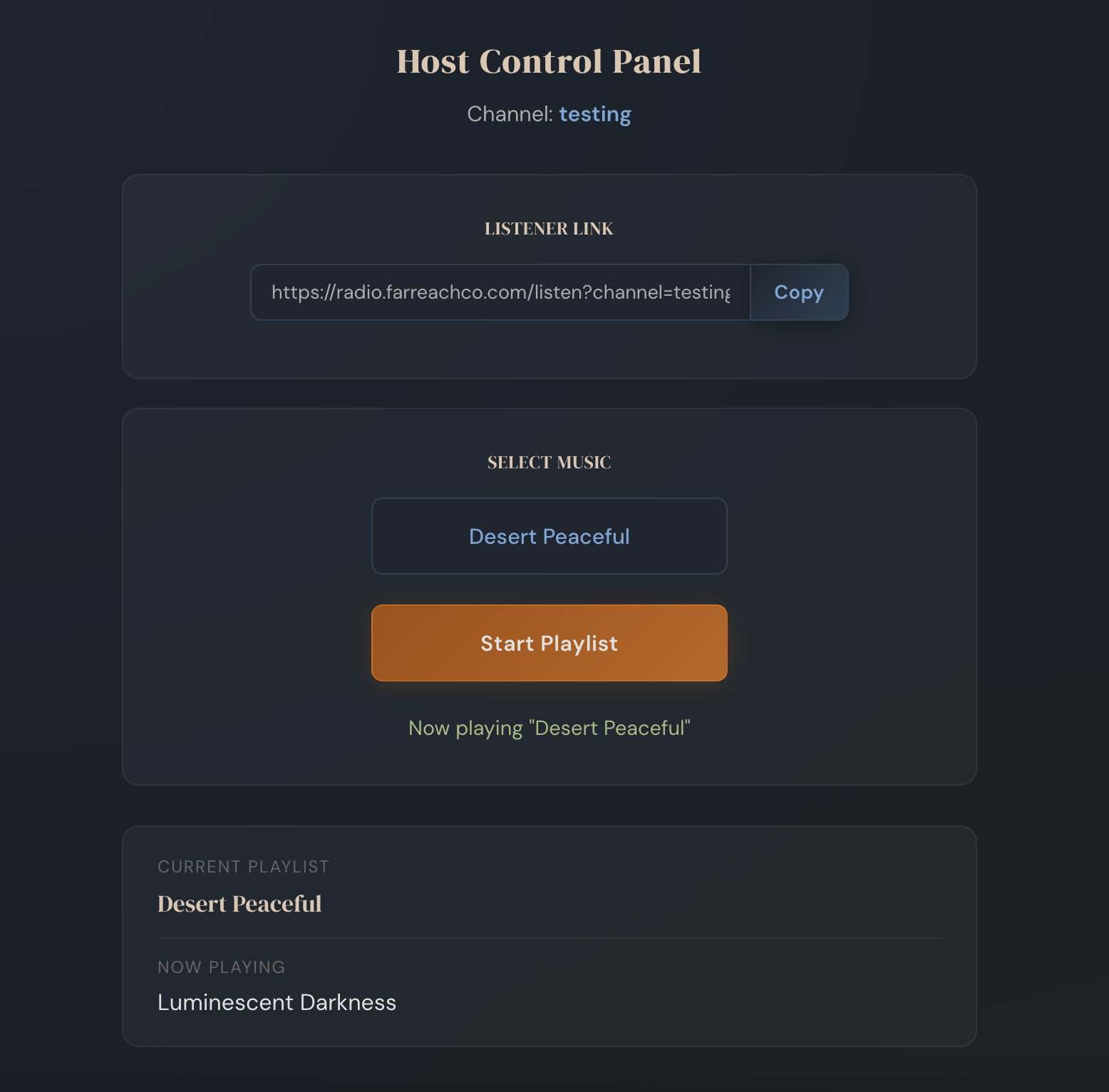
Keep the music close at hand
Choose a playlist from one browser tab and keep everyone listening together.
There’s no Discord bot to install or configure. Keep talking wherever your group already meets, and share the music through Radio.
Play online or around the same table
For remote sessions, send each player the listener link.
For in-person games, open the listener link on a device connected to your speakers and control the music from your laptop or phone.
A few things to know
Do my players need accounts?
No. Only the host needs to sign in.
Does the music keep playing if I close the host panel?
Yes. Streaming continues while listeners are connected. The stream goes idle after ten minutes without listeners.
Can someone else take over the music?
Yes. Another signed-in user can open the host panel using the same channel name and choose a playlist.
What’s included for free?
The standard music library. Pro adds access to the full catalog, including additional exclusive playlists.