Library Guide
How to use the Library app to organize images and prep assets for your tables and Wyrlds.
Library Packs Guide | VTT Guide
Library Scope
Page Layout
Image Workflow
Folders
Bulk Actions
Packs Integration
Permissions
Practical Tips
Library Scope
The Library app supports two scopes:
- My Library for personal assets (
/library). - Wyrld Library for shared campaign assets (
/library?wyrld=<id>). - Wyrld Library requires Wyrld editor/manager access.
- The page title updates to show the active scope so you always know where actions apply.
Page Layout
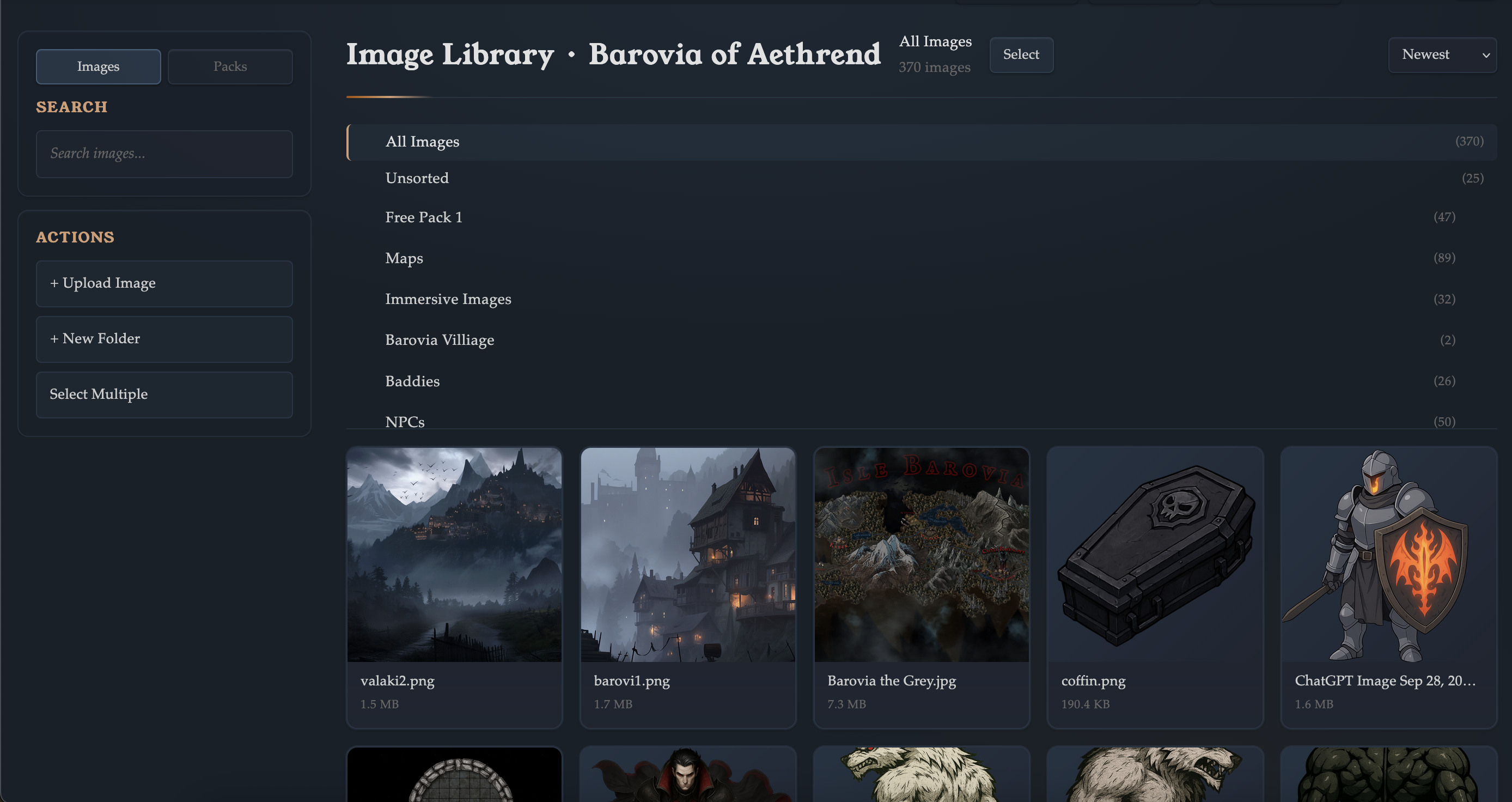
- Sidebar: search, scope tabs, and creation actions.
- Main panel: image grid or packs view depending on selected tab.
- Header controls: sort mode, select toggle, and scope indicators.
- Library supports Images and Packs tabs. If packs are unavailable in the current scope, you will see a disabled Packs indicator.
Image Workflow
- Use Upload Image to queue one or many files.
- Incompatible files are filtered out automatically.
- Duplicate upload entries are skipped in queue handling.
- Search matches image name and notes.
- Sort options include newest, name, and size.
- Image detail modals support metadata editing and pack membership management.
Folders and Organization
- Create root folders or subfolders directly from the sidebar.
- Use All Images, Unsorted, or a specific folder in the folder tree.
- Deleting a folder moves images to the parent context instead of deleting images.
- Folder counts are shown per folder to speed up navigation.
Bulk Actions
- Enable Select Multiple to choose many images from the grid.
- Selected images can be moved to folders in one operation.
- Selected images can be added to a pack in one operation.
- Selected images can be removed from the scope when cleanup is needed.
Packs Integration
- The Library app includes pack creation, discovery, install, and management flows.
- Packs are scoped the same way as images (user scope vs Wyrld scope).
- Discover mode lets you preview published packs before install.
- For full ownership/visibility/install behavior, use the Library Packs Guide.
Permissions and Access Rules
- Personal library actions require login.
- Wyrld library actions require Wyrld editor/manager permissions.
- Pack features are gated by plan scope: Pro User for personal scope and Pro Wyrld for Wyrld scope.
- Sandbox table mode limits pack discovery/install controls during table sessions.
Practical Tips
- Keep personal testing assets in My Library and publish reusable sets as packs.
- Use Wyrld Library for campaign-specific assets that your co-managers need.
- Tag packs consistently so discover search works better for your team.
- Use folder structure for broad organization, then search for fast retrieval during prep.