Library Packs Guide
How packs work, what Discover means, and how sharing behaves across User and Wyrld libraries.
Library Guide | VTT Guide
What Packs Are
Why They Matter
Library Types
Discover
Owned vs Installed
Publishing
Workflow
Permissions
What Library Packs Are
A library pack is a reusable bundle of images with a title, description, and tags.
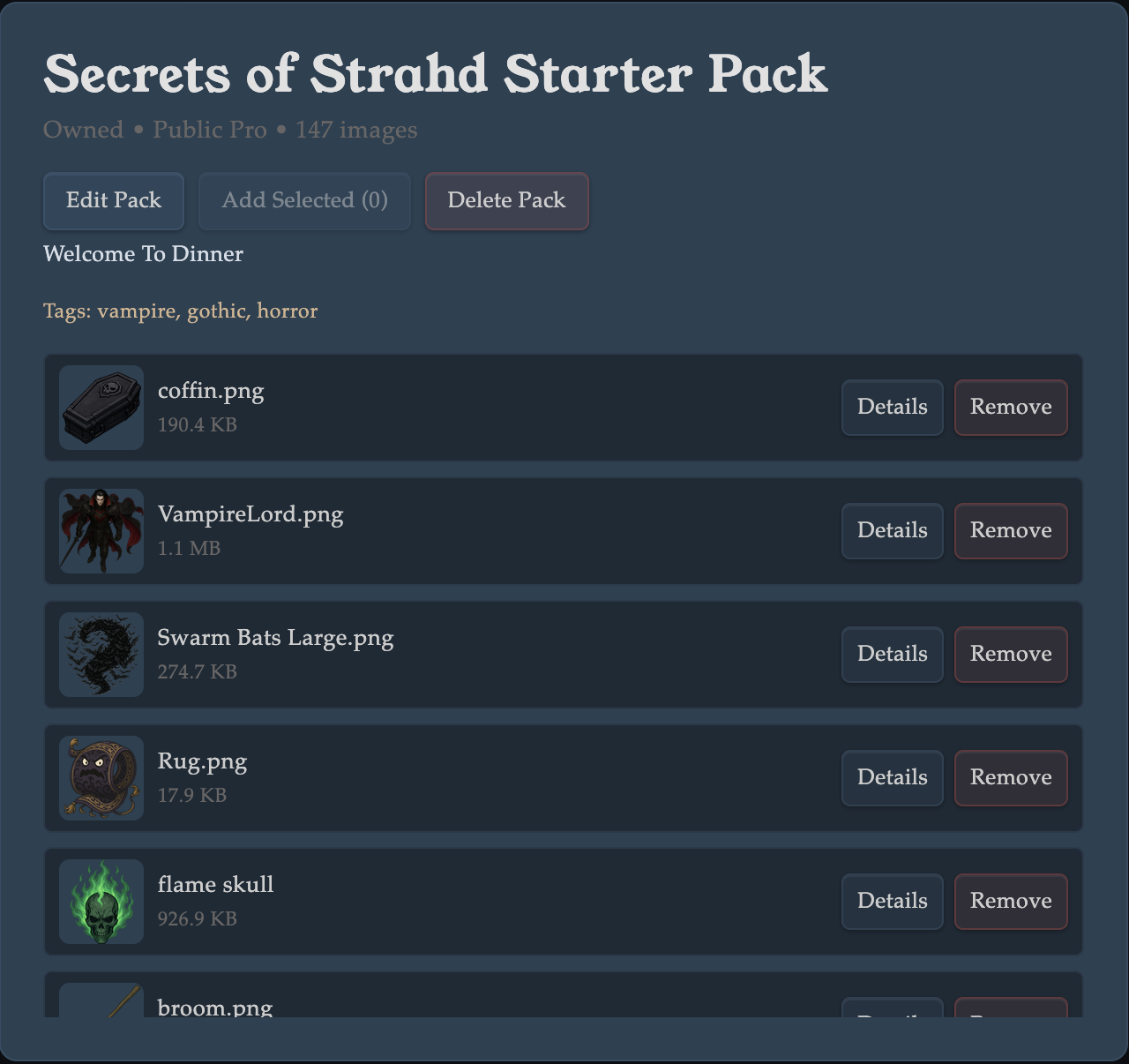
- Use packs to group related assets like map sets, token kits, or encounter bundles.
- Packs do not duplicate your base image files; they organize references to images.
- Tags are pack-level metadata used for search and catalog readability.
Why Library Packs Matter
- Share installable resources: curate once, publish once, then let other users and Wyrlds install immediately.
- Faster prep for everyone: avoid rebuilding the same encounter assets repeatedly.
- Consistency across games: keep map/token sets aligned across tables and campaigns.
- Owner convenience too: creators can still use their own packs directly in table sidebars.
- Cleaner libraries: separate ad-hoc uploads from durable, reusable content bundles.
Library Types
Every library screen is in exactly one library type: User library or Wyrld library.
- User library: personal account context.
- Wyrld library: shared manager/editor context for that Wyrld.
- Owned packs are library-specific: User library owns user packs; Wyrld library owns that Wyrld's packs.
- You can still install packs across libraries, including your own packs from another library.
What Discover Means
Discover is the community resource-sharing catalog.
- Discover shows published packs that are available to your current library.
- Use preview before install to verify pack quality and contents.
- Install adds that pack to the current library's installed list so it is usable in that library.
Owned vs Installed
- Owned: packs created by this exact library.
- Installed: packs attached to this library for use, regardless of who published them.
- Uninstall removes the pack from the current library install list.
- Delete Pack removes the pack itself (and installs that depend on it).
Publishing and Visibility
- Private / Wyrld visibility keeps packs in non-public access paths.
- Public Pro + Published makes a pack discoverable for community use under pro gating.
- Tags improve discoverability because pack search matches title, description, and tags.
Recommended Workflow
- Create a pack in your current library.
- Add images and useful tags.
- Optionally publish when ready for community sharing.
- Use Discover to find and preview other creators' packs.
- Install packs into the library where you want to use them.
Permissions and Limits
- Pack tooling is tied to pro capabilities in the active library context.
- Sandbox mode disables discovery and install/uninstall management for packs.
- Wyrld library actions follow Wyrld editor/manager permissions.